 TrainNotes
Review a Variant’s results
Use Variant progress for a concrete implementation of an Exercise, especially when two machines use different resistance systems. Its record history and results remain separate from other Variants.
Open the Variant ledger
- Open the parent Exercise’s Progress screen.
- Scroll to Recent variants.
- Tap the named implementation, such as Technogym.
- Confirm the Variant name above the parent Exercise name.
Read the load PR and last result
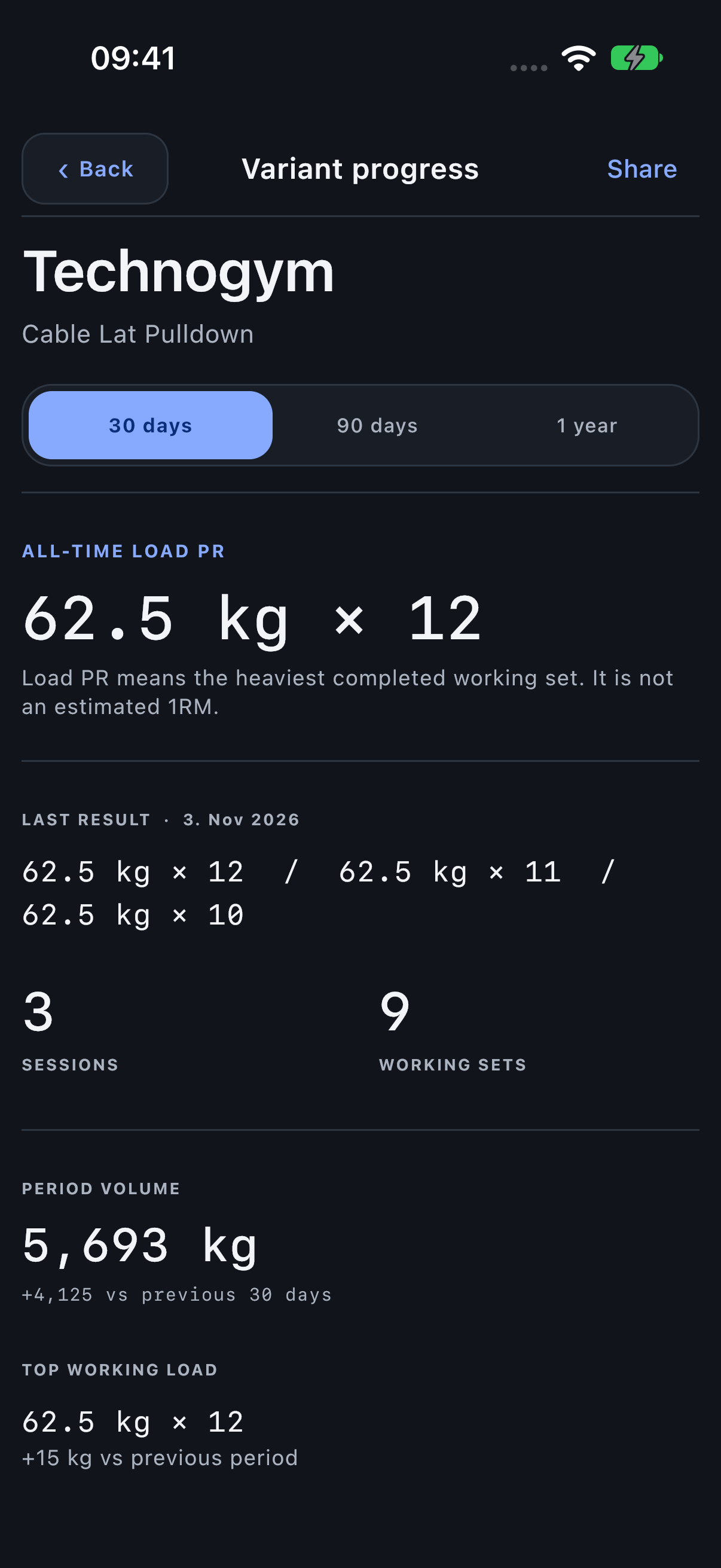
All-time load PR is the heaviest completed working-set result for this Variant. It is not the estimated 1RM curve. Last result shows the latest recorded set series and its date.
Changing the selected period narrows period totals and record-history views; the all-time headline remains an all-time result. Read the label before comparing it with a period total.
Read period totals and record history
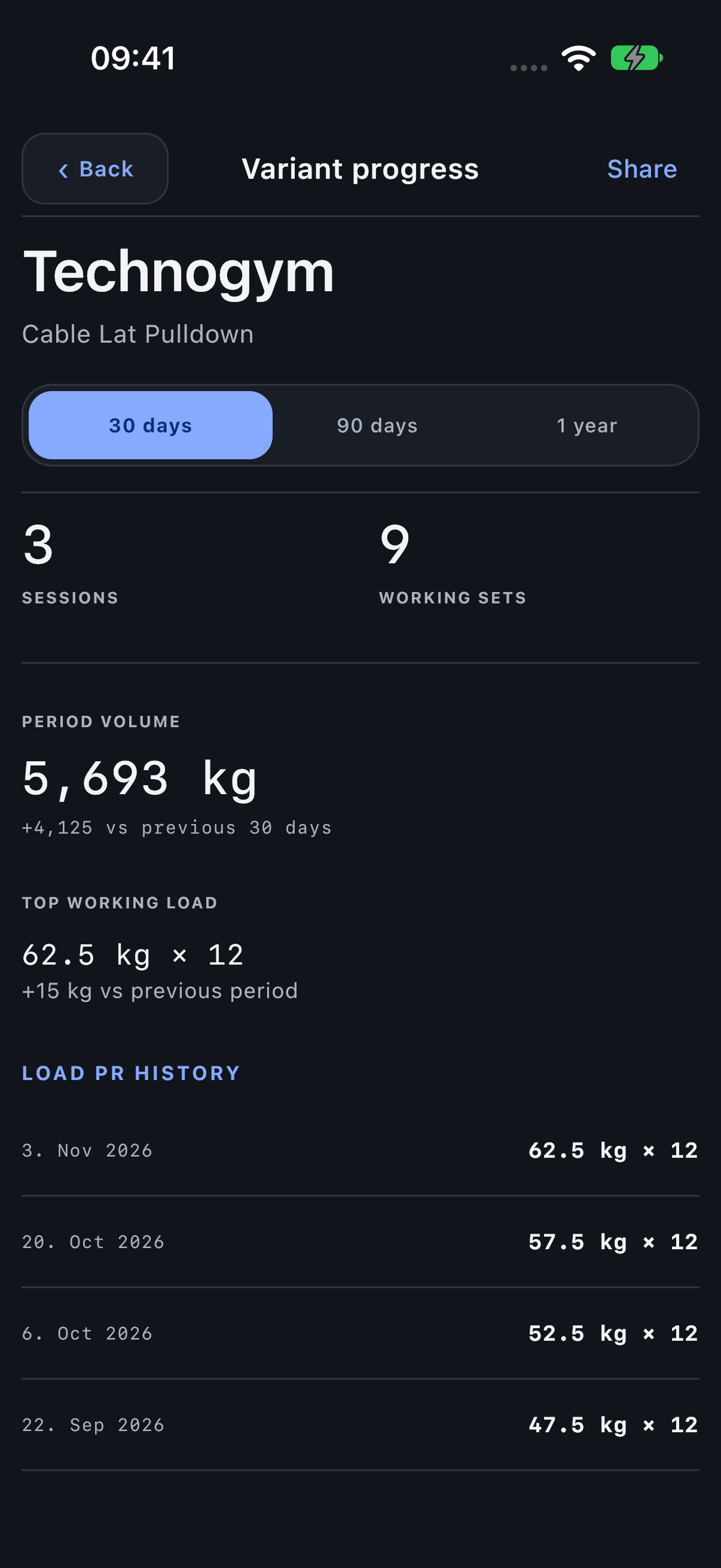
Sessions and Working sets count recorded work in the selected period. Period volume accumulates weight × reps only. Other schemas show their recorded distance, time or rep totals instead. The record headline follows the tracked result: load, longest distance, longest time or most reps. Dated entries show record changes. Compare the same Variant across periods rather than matching stack numbers across different machines.
Share a machine-specific result
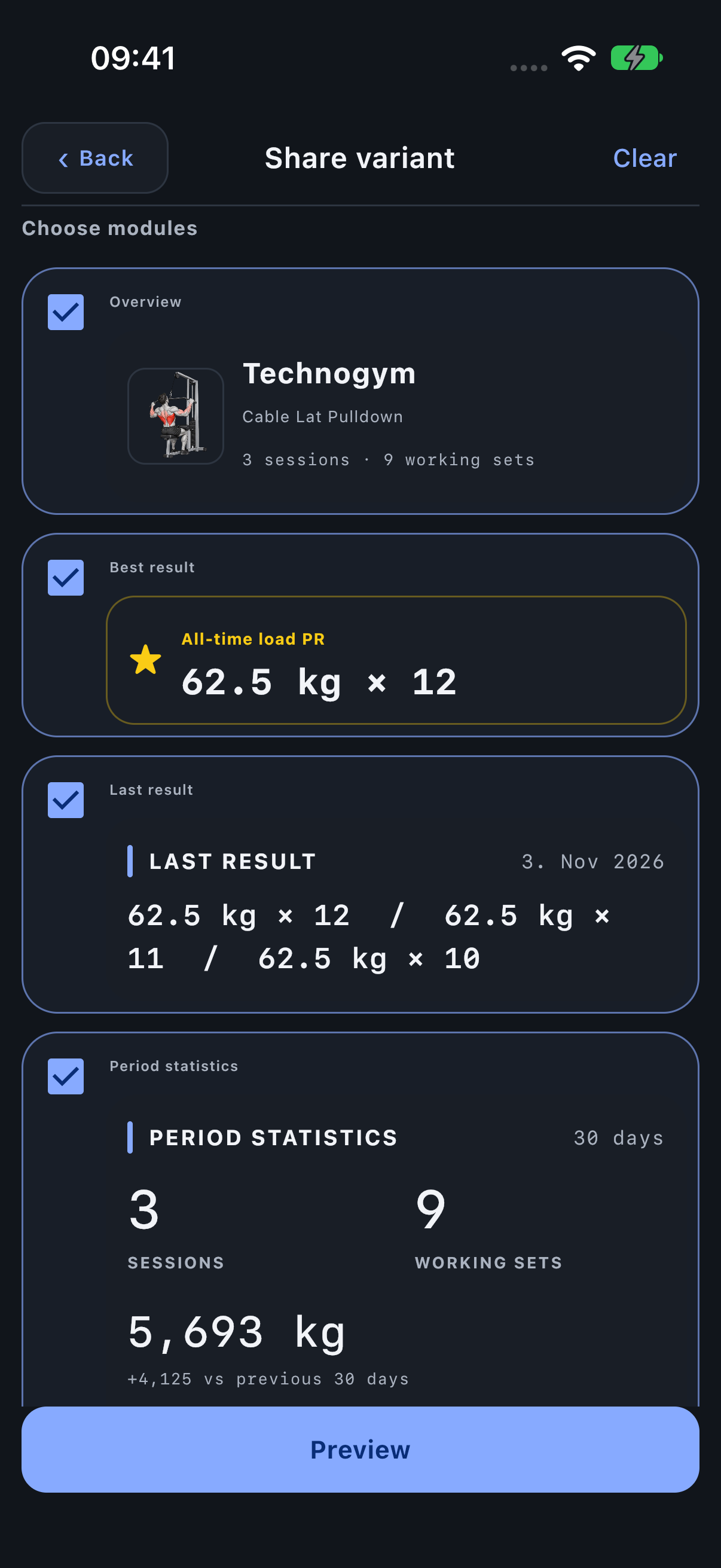
Use Share here to prepare the Variant’s modules. The named Variant helps a recipient understand which machine or implementation produced the result.