 TrainNotes
Read your training statistics
Use Statistics to understand how much you trained, how the work was distributed, and how the pattern changed over time. Start with a question, then choose the chart that answers it.
Choose the scope before reading a chart
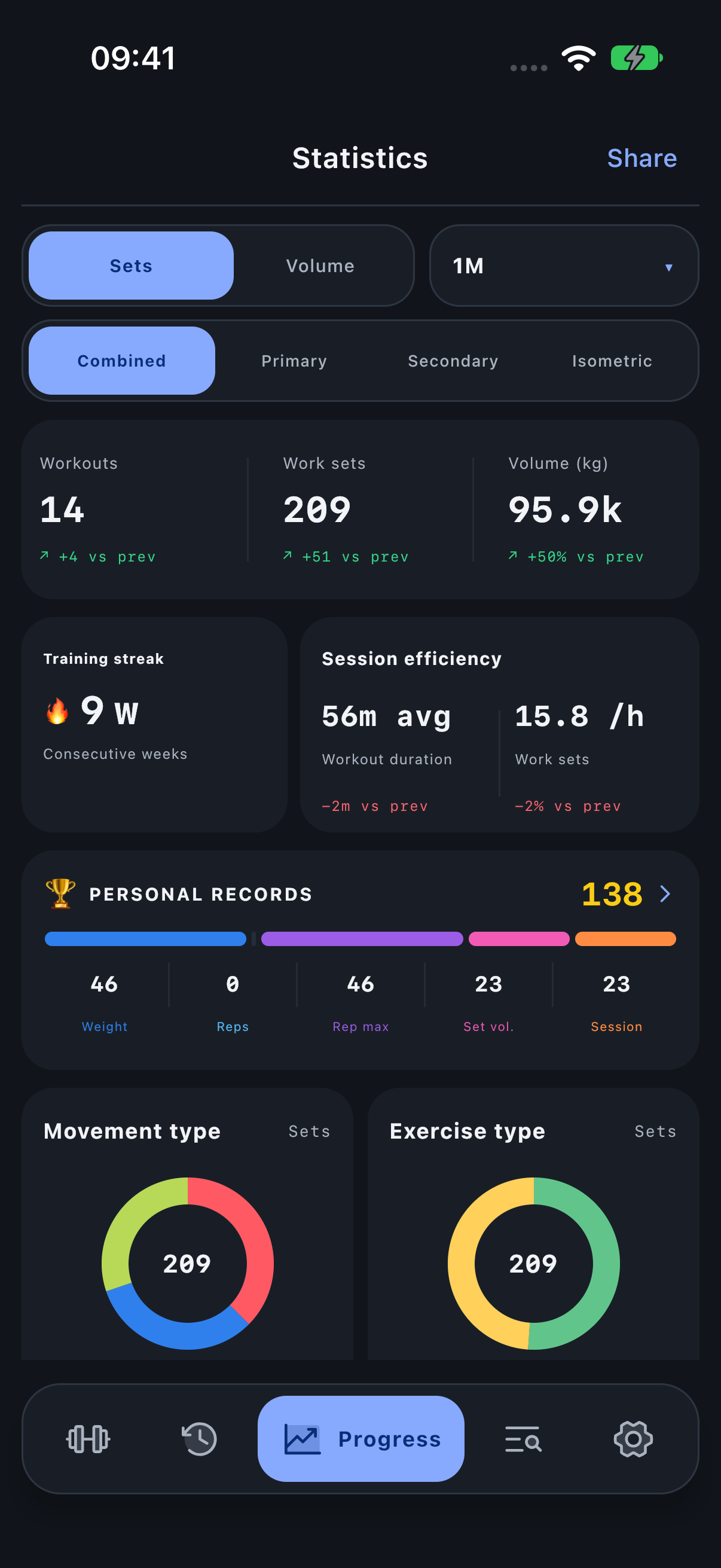
- Open Progress. The screen title is Statistics.
- Choose Sets for working-set contribution, or Volume for effective load × successful reps with the selected role weighting.
- Open the period menu: 1W, 1M, 3M, 6M, 1Y or All. 1M is a rolling 30-day window, not the current named calendar month.
- Choose Combined, Primary, Secondary or Isometric for muscle involvement.
- Scroll to the chart you need. Tap a navigable row or matrix cell to investigate its contributors.
Warm-ups and unfinished sets are excluded from working-set totals. The screen you opened matters: a muscle detail or classification view narrows the underlying workouts and Exercises.
Find the right chart
Choose the question you want to answer. Each reference explains its units, filters, worked example and next step.
- Workouts, work sets and volume — How much training did you complete?
- Training streak — Have you trained in consecutive weeks?
- Session efficiency — How long were the sessions, and how densely were sets recorded?
- Personal records — Which performances exceeded your earlier results?
- Movement type distribution — How much of your work was Push, Pull or Legs?
- Exercise type distribution — How much work was Compound or Isolation?
- Movement × exercise type — Which combinations make up your training?
- Exercise type trend — Did the amount of Compound or Isolation work change?
- Movement type trend — When did Push, Pull and Legs receive their work?
- Rep range distribution — What rep counts did you actually train?
- Muscle training frequency — How often was each muscle trained, rather than how many sets did it receive?
- Muscle distribution radar — How is your muscle contribution distributed, and has its share changed?
- Distribution by muscle — What exact share does each displayed muscle have?
- Muscle sets and muscle volume — How much recorded work contributed to each muscle?
- Recovery map and Recovery by muscle — How long has it been since the recorded training for a muscle?
- Exercises in the selected statistics scope — Which Exercises produced the totals you are looking at?
- Muscle activity map — Where was the recorded work located, and how do I open a group or one muscle?
Understand the comparison window
For 1M, Current covers the last 30 days and Previous covers the preceding 30 days. A change can result from more training days, more sets per day, heavier loads or different Exercises. Choose the same units and scope when comparing screenshots. All has no preceding comparison window.
Training streak and Recovery answer time-sensitive questions using longer history; their articles explain those exceptions.
Understand why totals can differ
Statistics applies the selected involvement weights to its headline work sets, volume, sets/hour and classification charts. Primary contributes 1.0, Secondary 0.5 and Isometric 0.25. Combined adds the qualifying role contributions. Selecting Secondary alone retains its 0.5 weight; it does not convert assisting work into full primary sets.
For a whole-body headline or classification chart, a role contributes once per Exercise when that role is present. Several muscles in the same role do not multiply that role again. Inside a muscle scope, only roles involving that scope qualify. Muscle rows then attribute work to each named muscle and aggregate through the hierarchy; their sum is a different calculation from the headline.
Three physical sets of an Exercise with Primary and Secondary assignments contribute 3 × (1 + 0.5) = 4.5 in Combined classification statistics, or 1.5 in Secondary. The session Summary headline still counts the three physical working sets. This is why its Work sets figure can differ from the Movement card beneath it.
Understand muscle involvement
Primary is the main training role, Secondary is assisting work, and Isometric is substantial static work. The contribution weights are 1.0 / 0.5 / 0.25 respectively. Combined adds them; a role-only view retains its own weight. A set can involve several muscles, so adding all muscle rows is not the same as counting distinct sets.
Three primary sets and four secondary involvements contribute 3 + 4 × 0.5 = 5 combined sets to that muscle. It was not necessarily trained in five separate sets.