 TrainNotes
Track progress in an Exercise
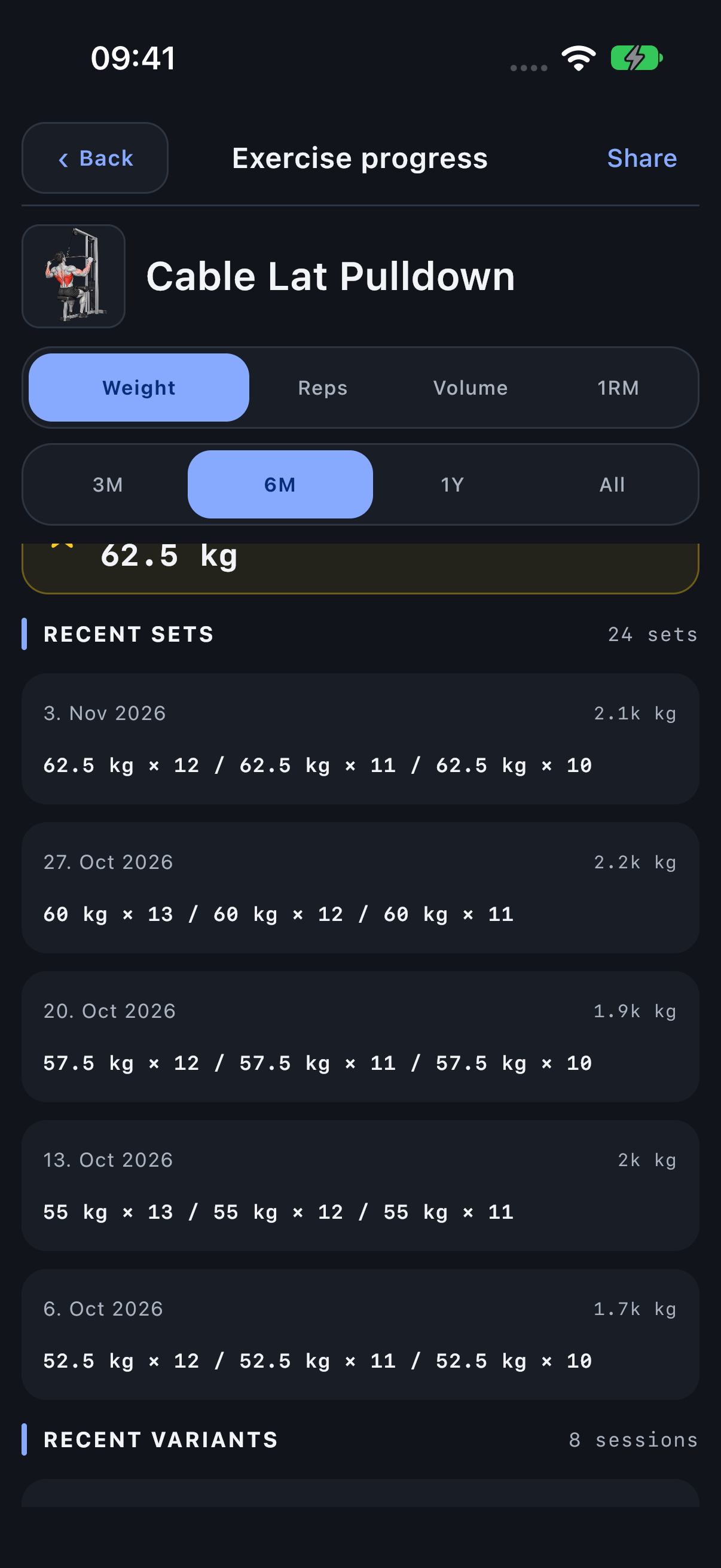
Open an Exercise’s progress when you want to see how its recorded load, reps or volume changed across workouts. Choose the metric that matches your question, and inspect the Variant when machine loads are not comparable.
Open the progress screen
- Open Exercises and find the movement with search or filters.
- Open its details and choose Progress.
- Choose the period and an available metric. Weight/reps Exercises offer Weight, Reps, Volume and 1RM; carries offer Weight, Distance and Total dist.; holds offer Time, Total time and Weight when tracked.
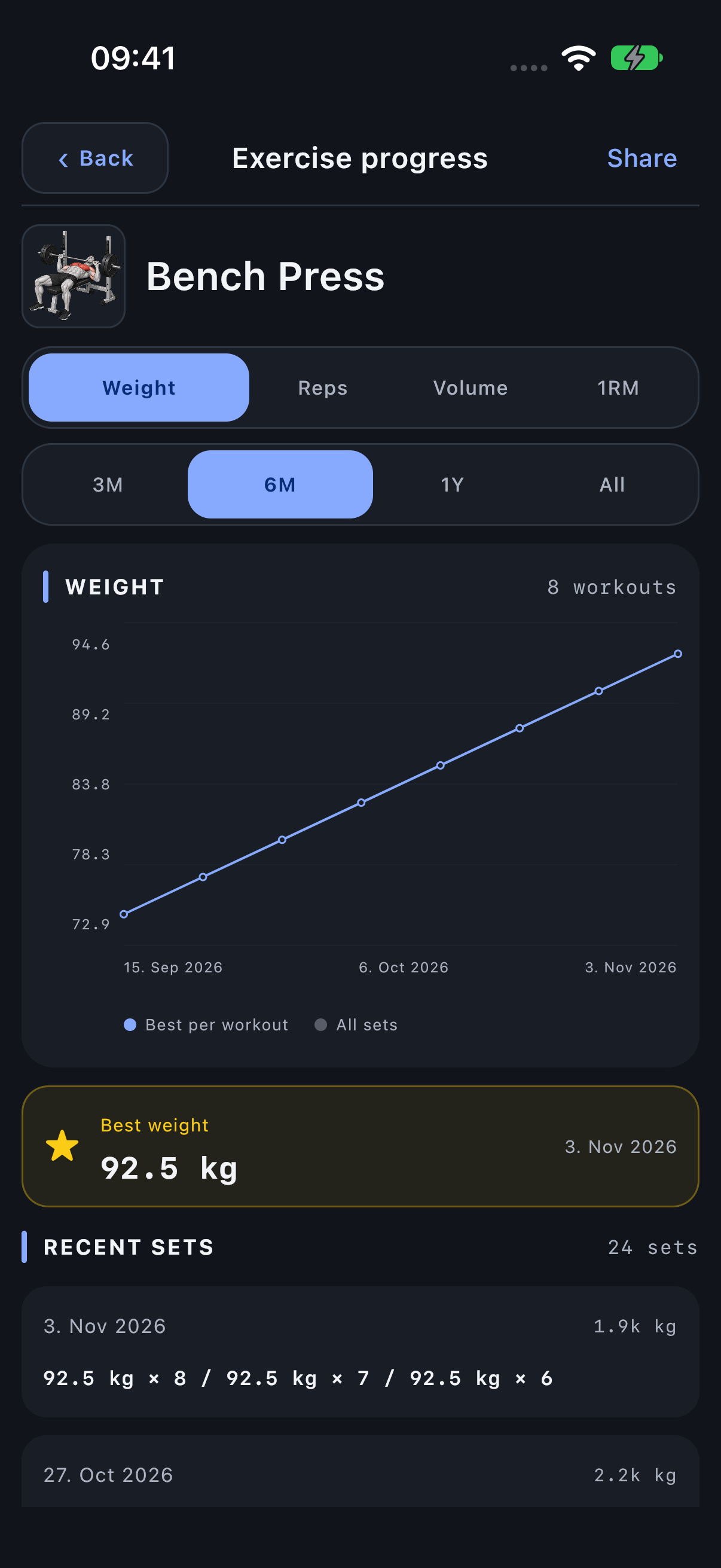
- Read the dates along the x-axis. Each progress point summarises recorded work in a workout.
Read the line, set dots and dates
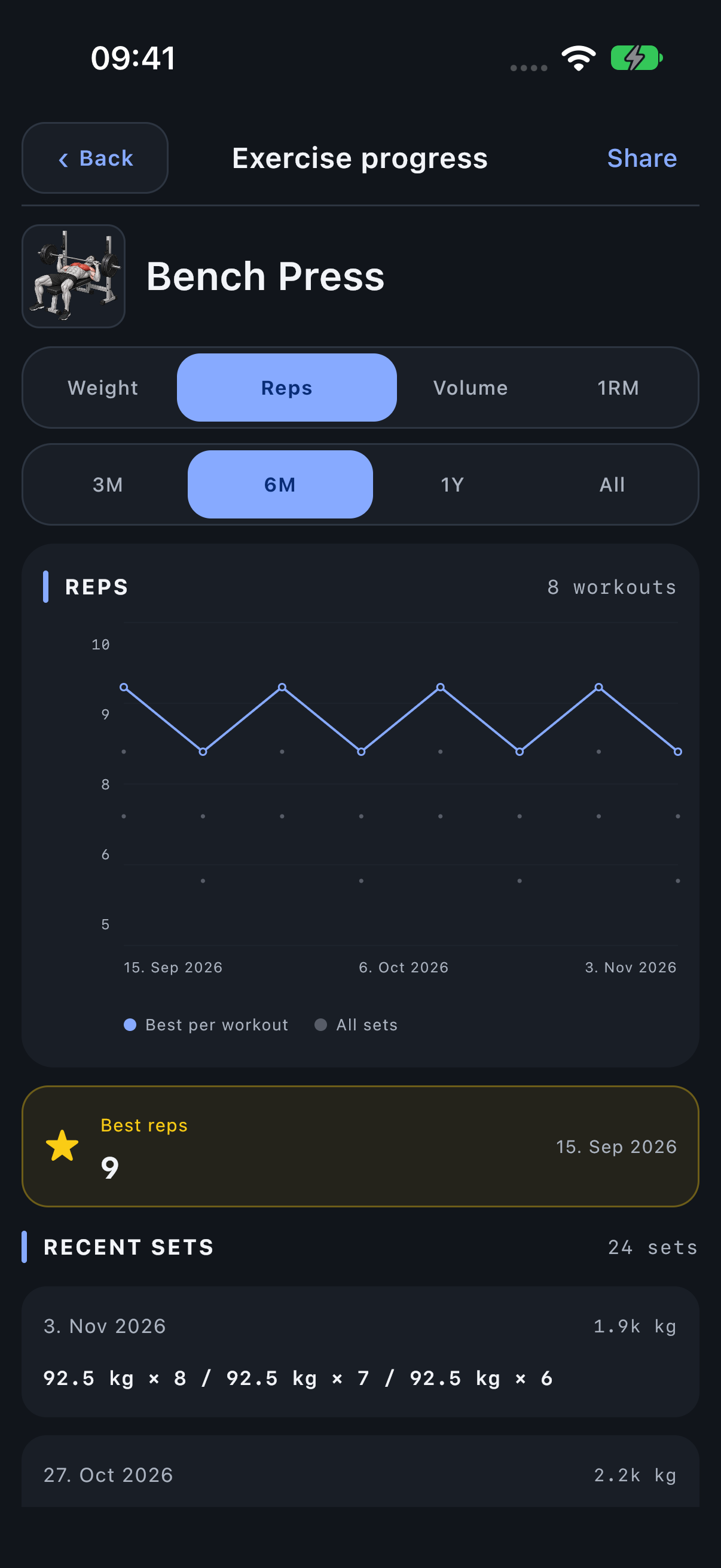
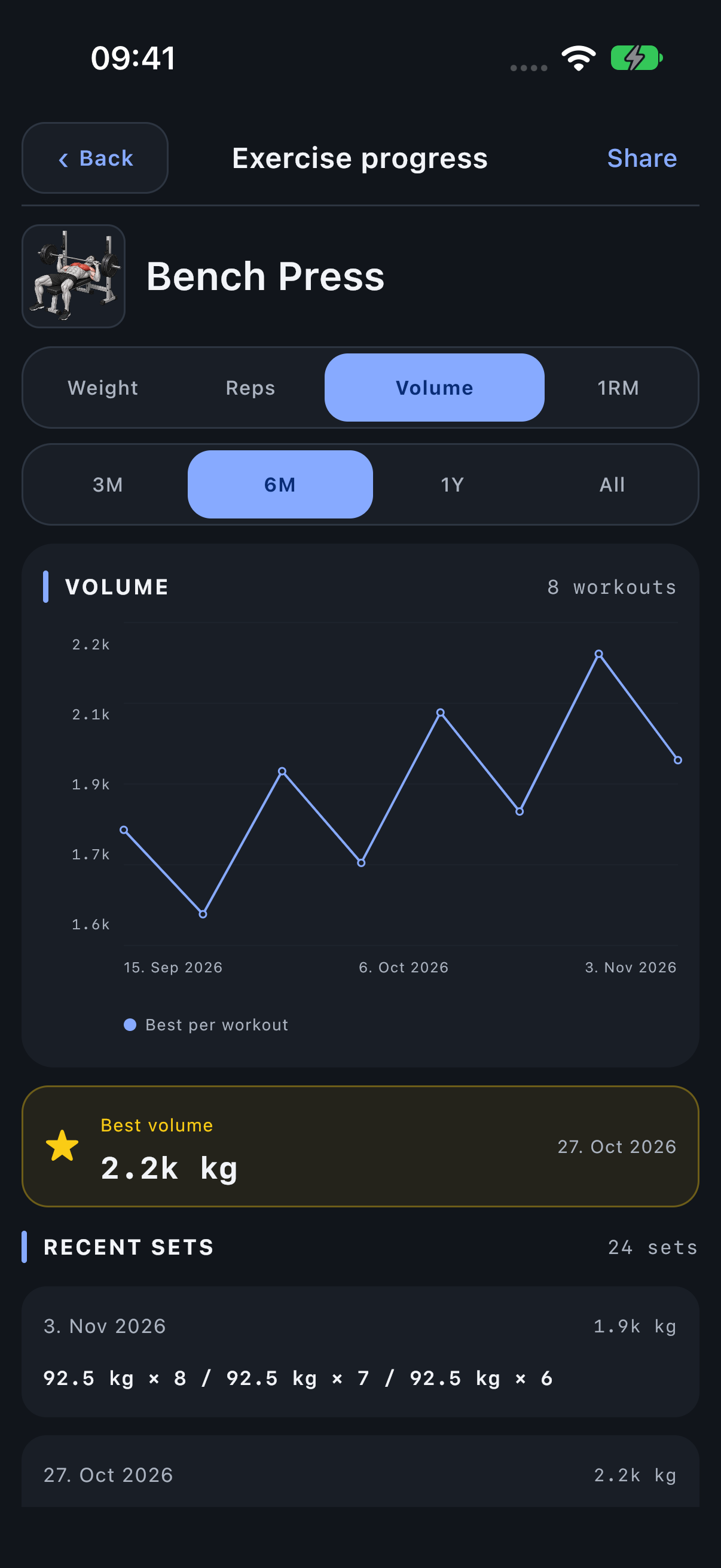
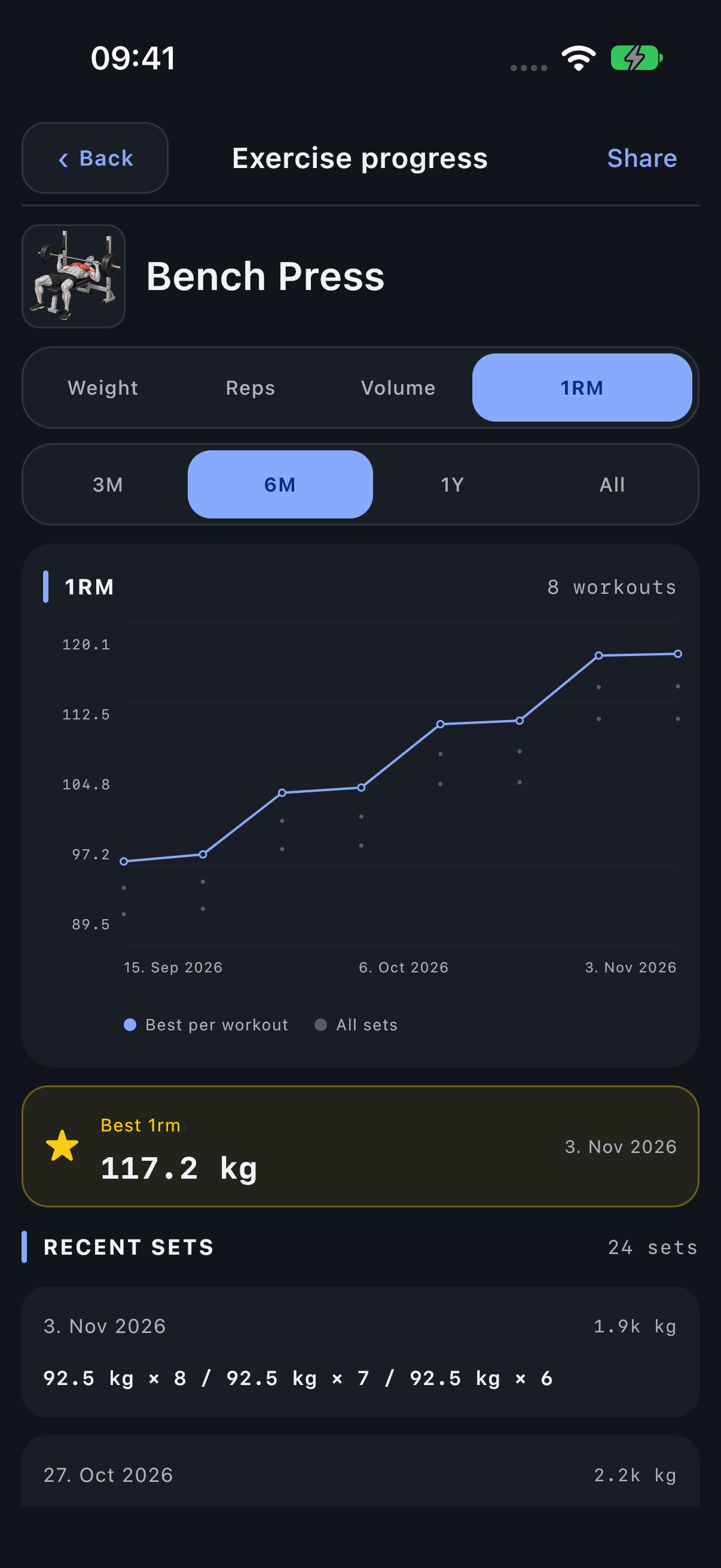
The blue Best per workout line connects one summary value for each workout. In Weight, Reps and 1RM, muted All sets dots show the underlying set-level values, so a workout can contain several dots below its best point. In Volume, the point is the summed volume for the workout and there is no separate all-set dot series.
Use the dates to distinguish a gap with no recorded visit from repeated visits at the same result. The line joins recorded points; it does not invent workouts between them. Recent sets preserves the complete recorded result, including weight, distance and time where applicable.
Read Weight
Weight uses the heaviest successful effective load from each workout. It is useful for tracking load exposure, but it does not hold the rep count constant. A heavier point with fewer reps is different from doing more reps at the same load.
80 kg × 12 and 85 kg × 5 give Weight points of 80 and 85. The higher point does not mean that the same rep performance improved. Check Recent sets.
Read Reps
Reps shows the highest completed rep count in each workout. It does not guarantee that the load is the same from one point to another. Combine it with the actual set series when judging progress.
Read Volume
Volume adds effective load × successful reps across the Exercise’s completed working sets in each workout. It can rise because of more sets, more reps or greater load. Warm-ups are excluded.
Three sets of 80 × 10 total 2,400 kg. Four identical sets total 3,200 kg even though load and reps per set are unchanged.
Read carries and holds
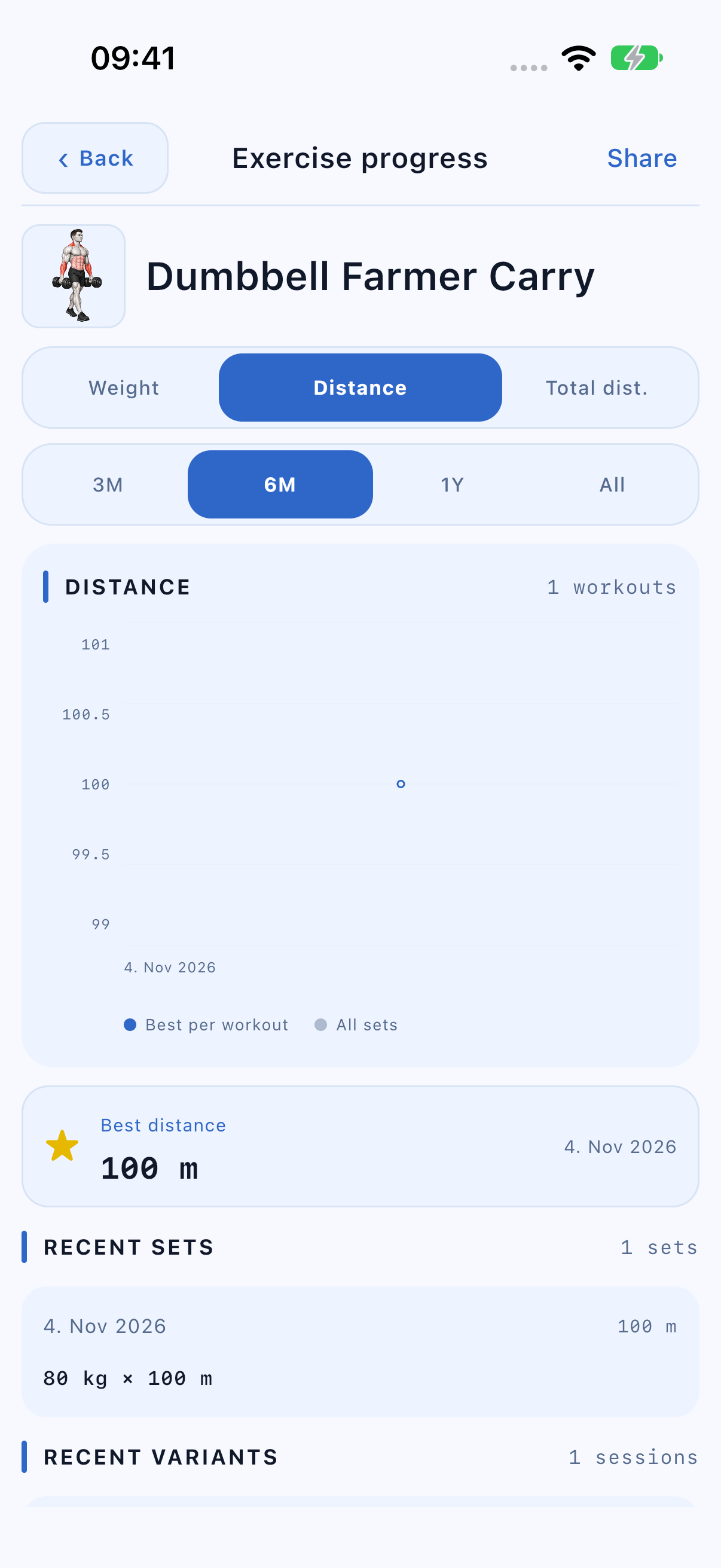
Distance and Time show the longest completed working set in each workout. Total dist. and Total time sum their corresponding working-set values. Loaded carries use meters (feet with imperial preferences), while cardio retains km/mi. The Weight chart remains available when the Exercise records weight.
A carry recorded as 80 kg × 100 m contributes one physical working set and its assigned muscle contributions. History, Summary and Share show the weight and distance together. Volume is the separate weight × reps total for repetition-based Exercises. Two 100 m carries give Total dist. of 200 m.
A muscle can be a primary target while holding a load statically. The Isometric role is additional supporting work, not every muscle that contracts without visible movement.
Read estimated 1RM
The 1RM view estimates a single-rep equivalent from recorded sets. The current calculation uses load × (1 + reps / 30) and takes the highest estimate in each workout. It is an estimate, not a logged successful one-rep maximum.
80 × 10 produces an estimate of about 106.7 kg. That does not record a successful 106.7 kg lift or create a literal single-rep result in history.
Read the best-result card and recent sets
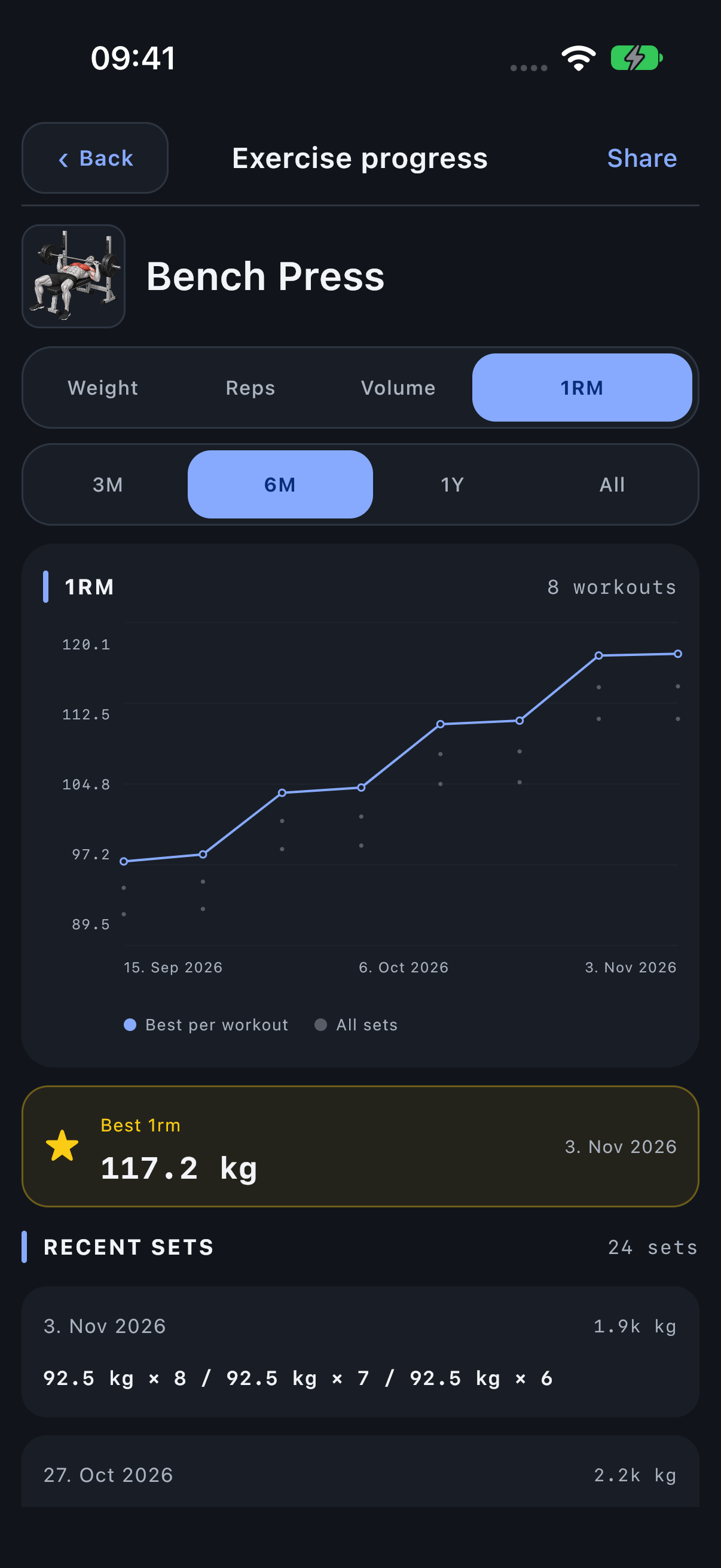
The best-result card follows the selected chart metric. Recent sets keeps the underlying series by workout date so you can check what produced a point. Reps and Weight peaks may come from different sets in the same workout.
Check which Variant produced the result
The parent Exercise can include work from more than one Variant. A combined Exercise-level curve is useful as an overview, but machine weights from different Variants may not be comparable. Use Recent variants and open the implementation you actually trained on.
Share the chosen progress
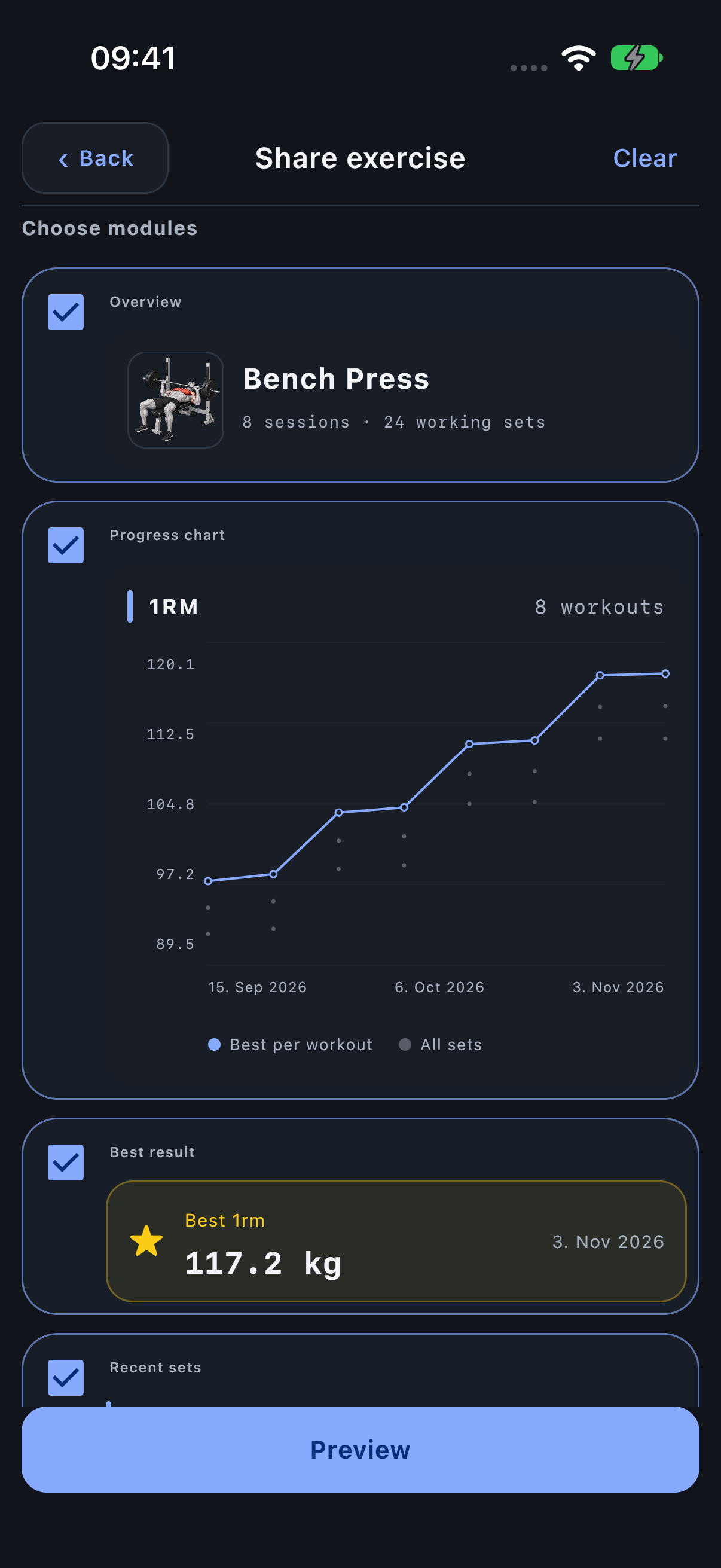
Choose Share in Exercise progress. Select the chart, best result, recent sets or other available modules, review Preview and share the resulting image pages. The period and context shown in the export should match the question you want to communicate.