 TrainNotes
Exercises in the selected statistics scope
Which Exercises produced the totals you are looking at?
What it shows
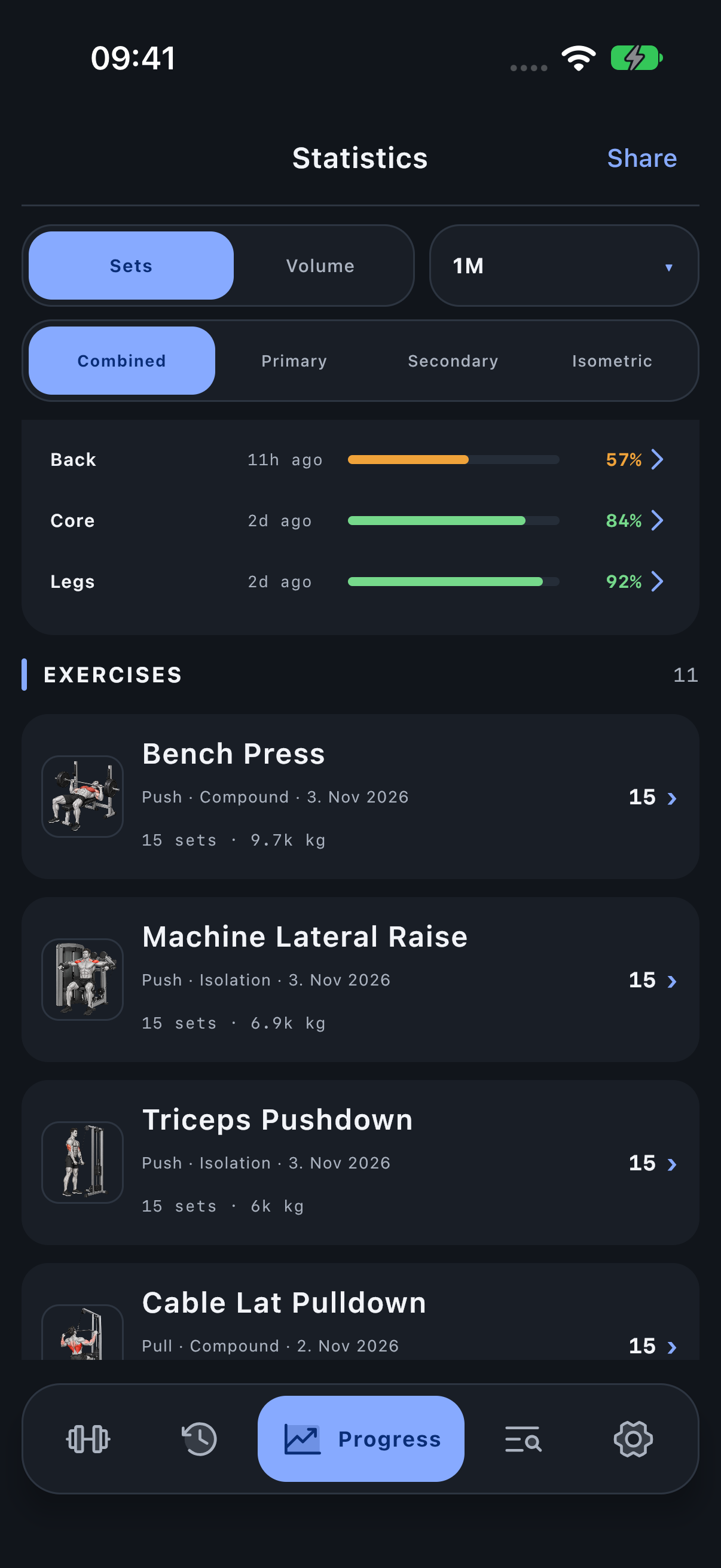
The Exercise list shows the contributors to the current period, role and muscle/classification scope. Each row identifies the movement with its artwork and its relevant set or volume totals.
How to read it
Check the screen title and active filters, then read a contributing Exercise row. Tap it to inspect the classification context and its recorded work. Use the Exercise library’s Progress action for its load/reps trend.
After selecting Chest, a Bench Press row can explain part of the contribution. After selecting Push × Isolation, the compound Bench Press is outside that intersection even though it still exists in your history.
Period, units and filters
Filters remain active as you scroll. A short list in Middle / Lower Chest or Push × Isolation is expected: it is not the complete Exercise catalog. Archived definitions can still have historical training contributions.
Investigate the result
Share exports the selected context. Back returns to the statistics screen that opened the detail.
Open Progress → Statistics and scroll to the named module.