 TrainNotes
Use rest timers and load calculators
Use these tools when you need help preparing an actual load or timing the next set. They are optional; direct numeric logging remains available.
Set ordinary rest timing
In Settings → During workout, enable Rest timer, choose the default duration and choose Sound, Vibrate or Mute. Chime, Bell and Digital are sound choices. Keep screen on applies while the active workout is open.
The Exercise’s Rest timer action can use the global duration, turn that Exercise’s rest off, or set an override. An override in the current session changes that session; a template override is copied when the template starts. Myo and groups use their configured sequence timing.
A running rest can be skipped or adjusted. iPhone Live Activity can show workout/rest status outside the app; iOS controls its availability.
Calculate plates for a barbell
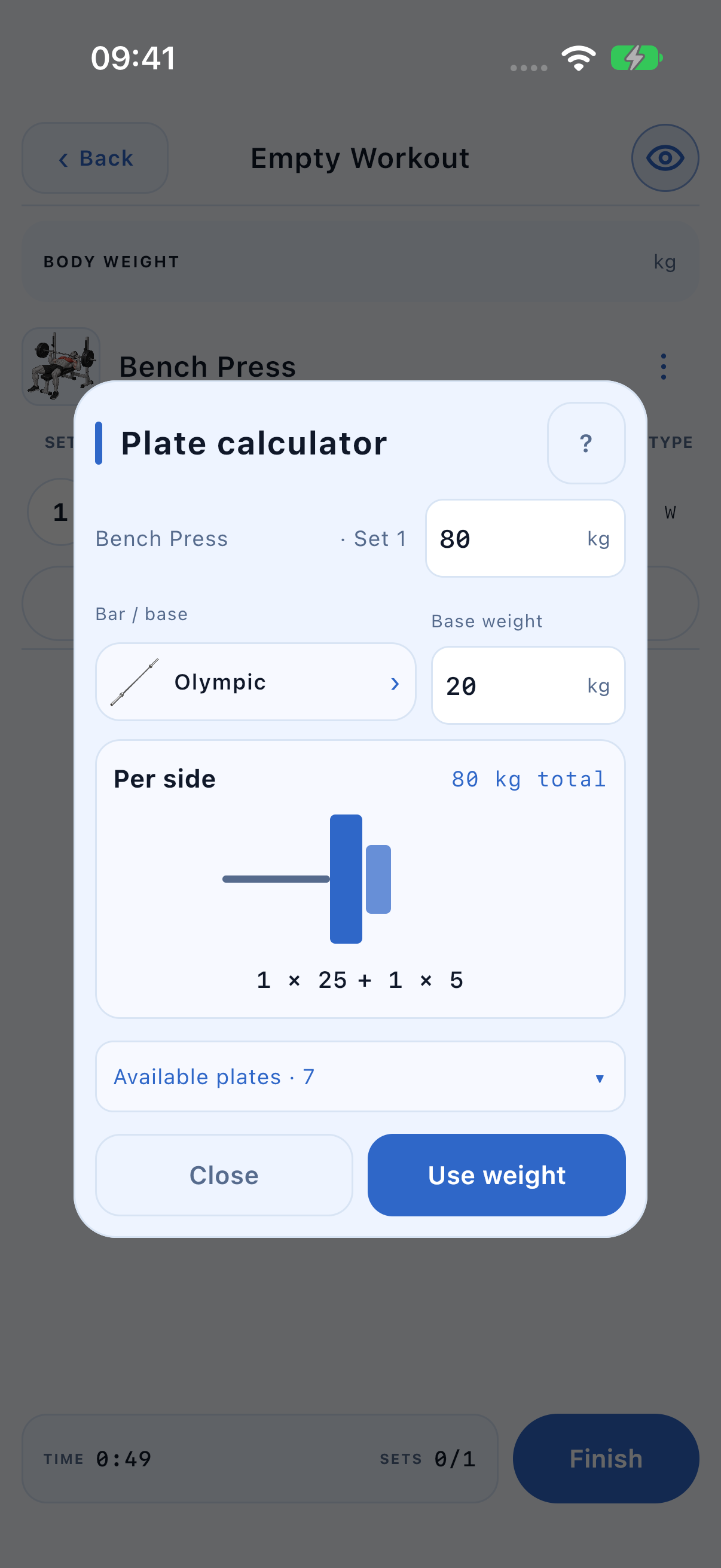
- During a session, open ⋮ → Tools → Plate calculator.
- Confirm the Exercise and set/round context beside the target input.
- Enter the Target total and choose the bar or base. Verify the actual base weight.
- Open Available plates and select the sizes available in your gym.
- Read the diagram and list Per side, then check the achieved total.
- Tap Use weight to write the result into that row. Close leaves it unchanged.
Choose the right base
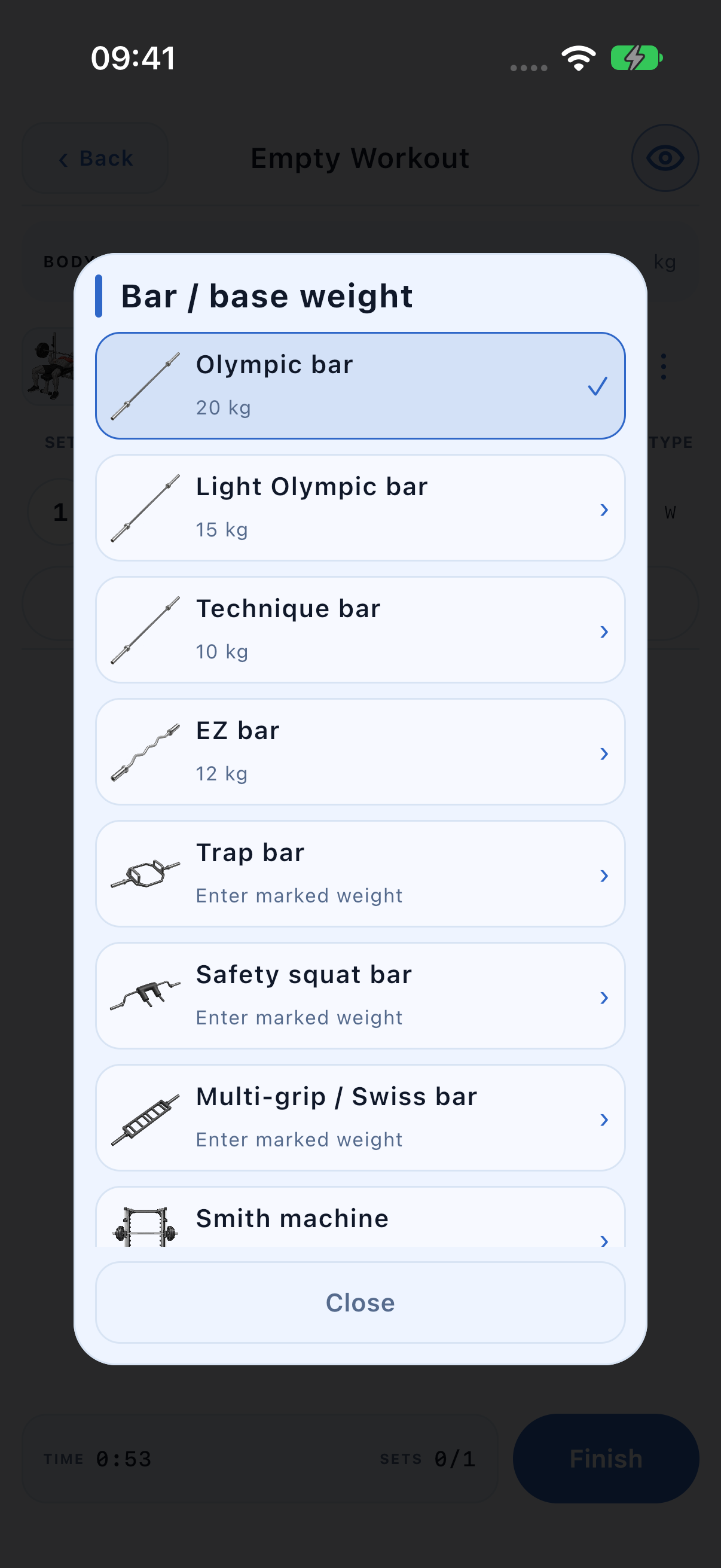
The picker includes Olympic, light Olympic, technique, EZ, trap, safety squat, multi-grip/Swiss and Smith options, plus a plate-loaded machine, no base and a custom base. Specialty and Smith bars vary: enter the mass marked on your equipment, rather than trusting an illustration.
For a plate-loaded machine, use the same load convention as your log. Zero base is appropriate when you record only the added plates. The calculator does not convert lever resistance into a barbell equivalent.
Read an inexact loadout and machine availability
The result uses equal plates on each side. If available pairs cannot make the exact target, the result stays below it and shows the difference. Use weight copies the achieved total, so read it before applying.
The tool is offered for weight-tracked Barbell, Smith Machine and Machine Exercises. Machine is a broad catalog equipment type: the entry can therefore appear on a stack machine too. Use it for plate loading where appropriate. It is not offered in template planning.
Prepare warm-up loads
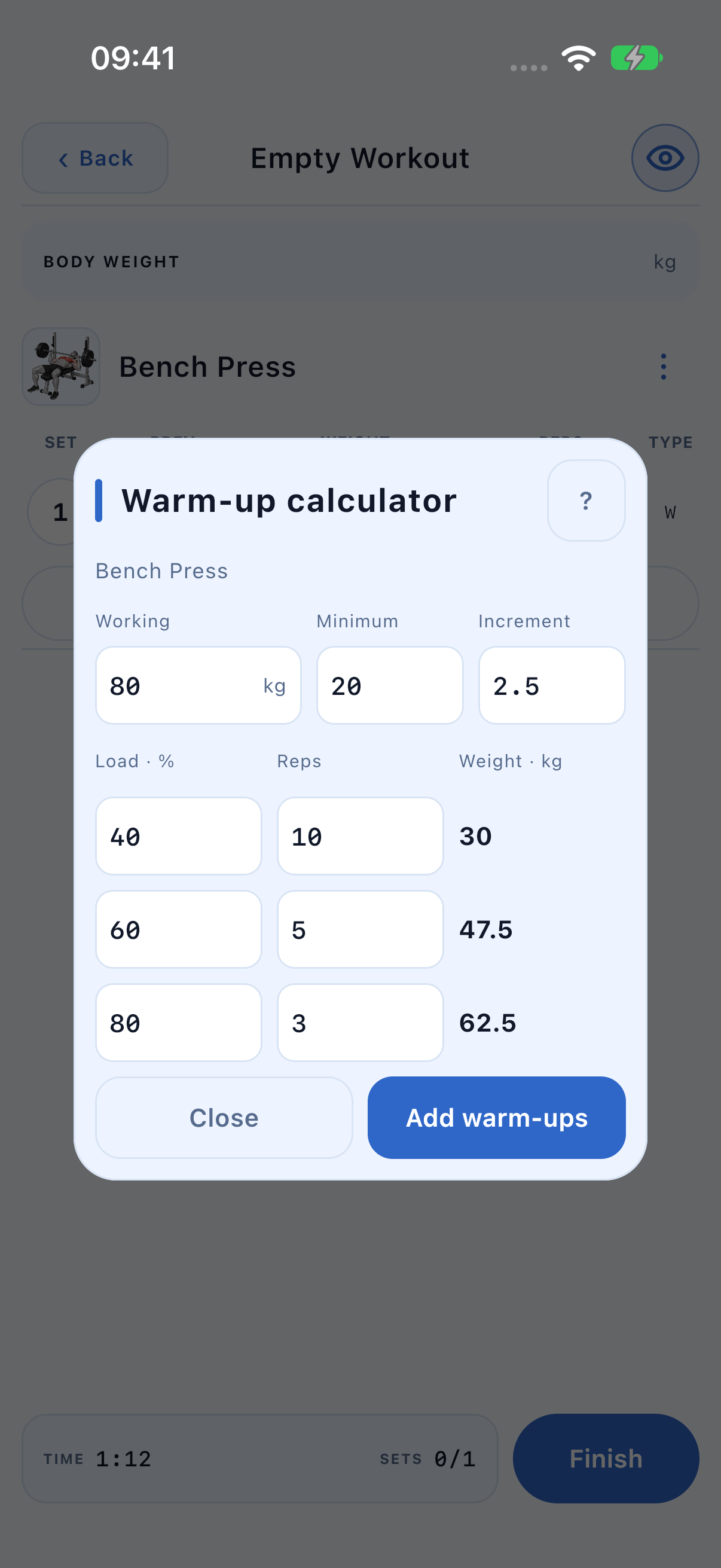
- Open Tools → Warm-up calculator in the session or template.
- Set Working to the intended working load.
- Set Minimum to the lightest usable load and Increment to the available total-load step.
- Edit each percentage and rep count, then review its calculated weight.
- Use Add warm-ups when the rows match the preparation you intend.
Check rounding and replacement
For an 80 kg working load, a 50% row gives 40 kg before rounding. With a 20 kg minimum and 2.5 kg total step, 40 is available. An intermediate result is rounded down to the permitted step, not up beyond it.
In a session, adding a new calculation replaces unfinished warm-ups for that Exercise while retaining completed warm-ups and all working sets. Remove warm-ups provides a direct way to clear unfinished preparation. The ? buttons contain field explanations.