 TrainNotes
Plan and record supersets or circuits
Link Exercises when you perform them as a repeated block. Choose the members in one composer, set their order and timing, then log the block round by round.
Choose the members
- Open ⋮ → Tools → Superset / Circuit beside an Exercise. It is selected as the starting member.
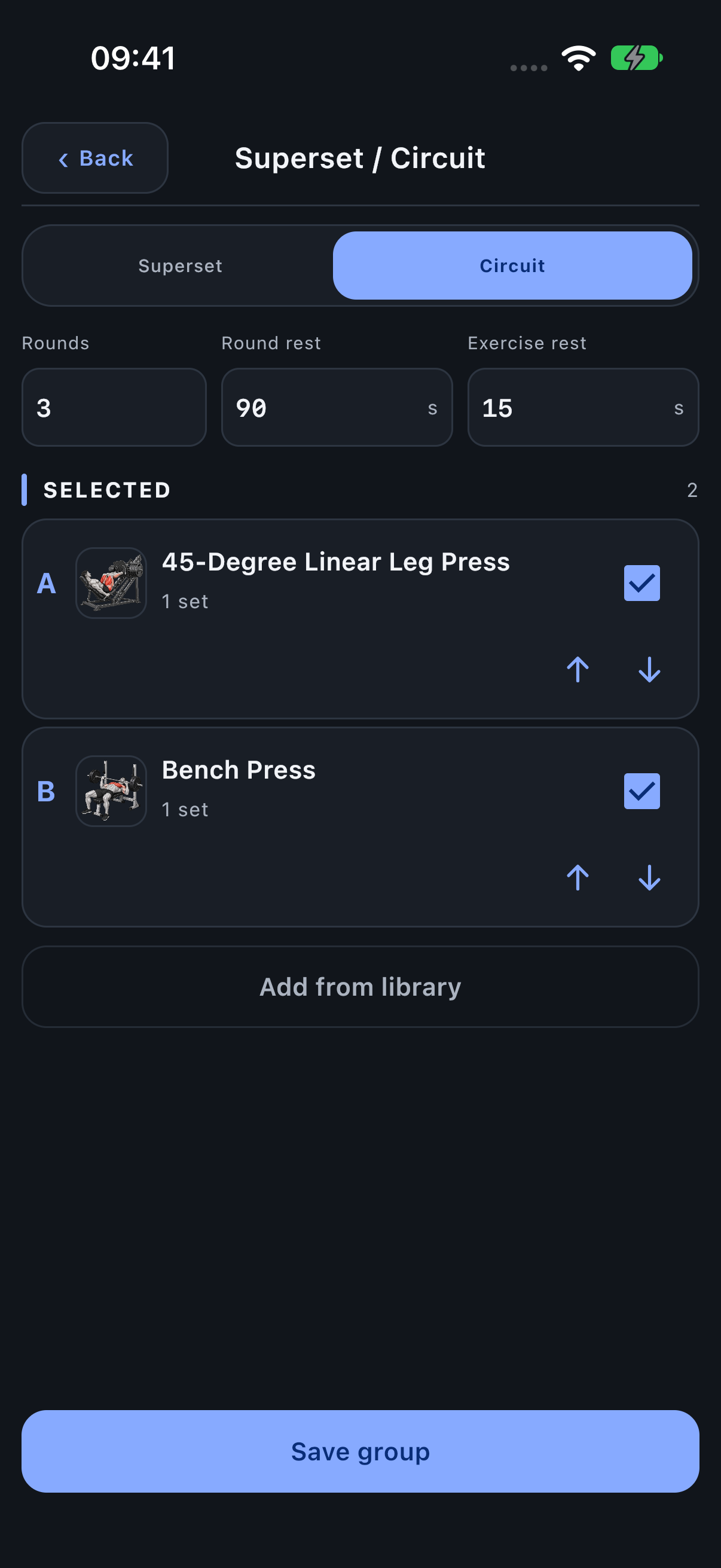
- Choose Superset or Circuit.
- Select other Exercises already in the session, including non-adjacent ones, or use Add from library to add several catalog Exercises.
- Use Move up / Move down to set the A, B, C order. Deselect a member you do not want in the group.
- Choose Rounds and rest values, then Save group. At least two members are required.
Choose Superset or Circuit timing
Both types repeat the selected members. A Superset has a rest after the round and no configured pause between members. Circuit also has Exercise rest, which can be zero. The practical difference is the extra between-Exercise timing control, not a required number of members.
- Rounds: how many A/B/C sequences to prepare.
- Round rest: the pause after the final member in a round.
- Exercise rest: Circuit’s pause between successive members.
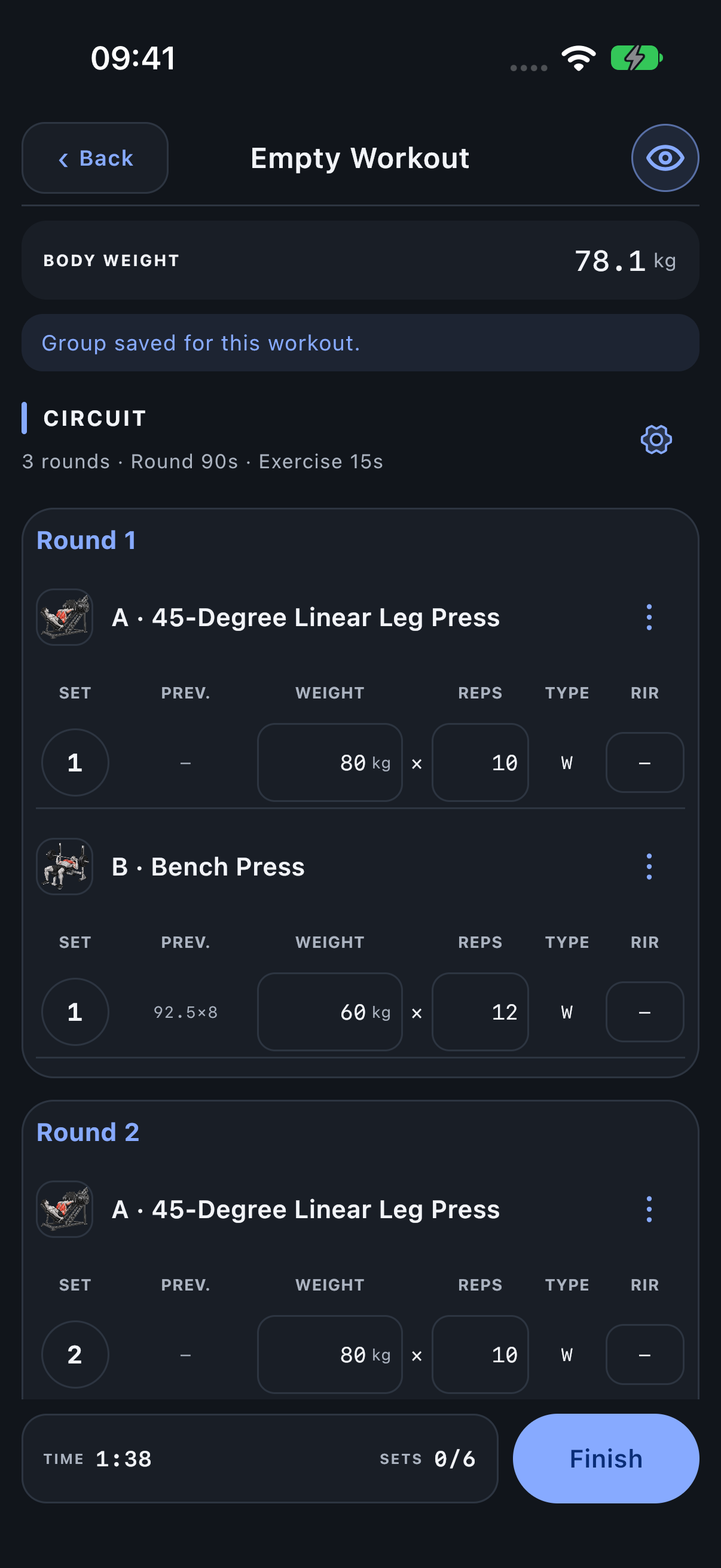
For A + B over three rounds, log A1, B1, then A2, B2, then A3, B3. With Circuit Exercise rest 15 s and Round rest 90 s, the between-member pause differs from the pause after B.
Record the members in round order
The session displays a bordered container for each round. Complete A, then B, then C if present, before moving to the next round. Each member retains its own Exercise, Variant, values and PR history. Linking does not make machine weights interchangeable. Three rounds of A + B contain six working rows before any Drop stages; the group itself is not an additional completed set.
Add or adjust rounds
The initial round count follows the members’ existing set counts. If a member has fewer sets, its last target can fill the additional planned rounds. Review those targets rather than treating them as completed results.
Use + Round to add a round for all members, or the group header gear to change the count. Completed work limits reductions so recorded later rounds cannot be silently trimmed. Adding rounds is a group action; a Drop stage remains within its one set.
Edit or unlink the group
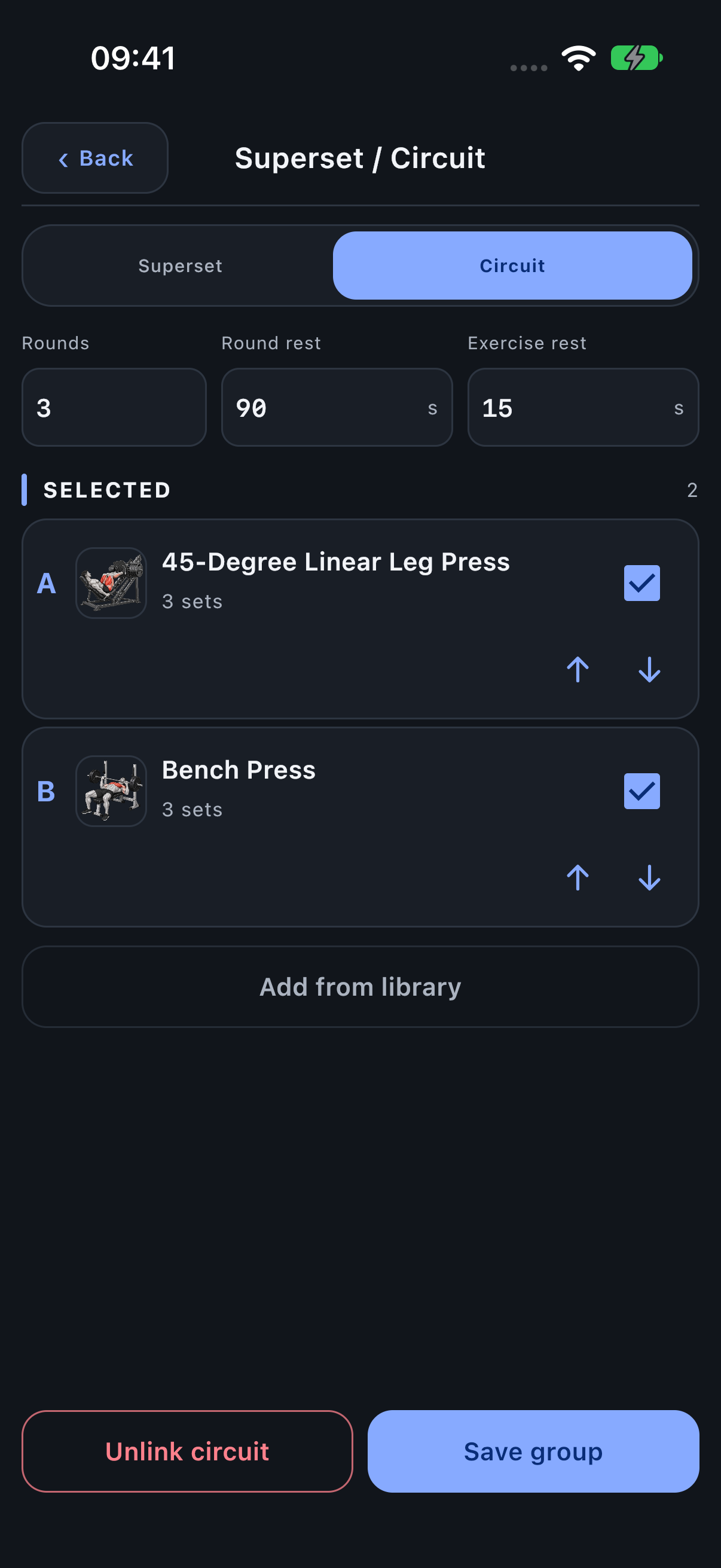
Open the group header gear to change members, order and settings. Save group applies the draft; Back leaves it unchanged. The red Unlink superset or Unlink circuit action appears in the group settings and Exercise menu.
Unlink returns the members to separate Exercises while retaining their recorded round sets and values. It operates on the saved group, not unsaved changes to the round field.
Keep preparation and drop stages in the right place
Warm-ups form a separate phase before the working rounds; they are not repeated before every A/B/C sequence. A member’s Drop stages stay inside that member’s round slot. Remove Myo-reps before adding its Exercise to this group.